iPhone · Browser · Home cameras

Your old iPhone is the camera.

SpareCam turns the phones in your drawer, and any laptop, into cameras for your home. Motion is detected on the camera itself, so you get an alert with a picture, and live video only flows while you’re watching.

Invite-only beta · Free plan: live view and motion alerts for up to 4 cameras · not a monitored alarm

SpareCam Home screen for a Home called Maple Street: Away, Home and Off buttons, and three cameras named Front door, Driveway and Back yard.

The tour

SpareCam in 38 seconds.

38 seconds, no sound. Real app screens; the Home and camera names are made up.

Setup

One app. Two jobs.

The same SpareCam app runs on your phone and on the spare. The first screen asks which one it is.

Pick a role

On the spare iPhone, choose Use this phone as a camera. It doesn’t need your account.

Scan the code

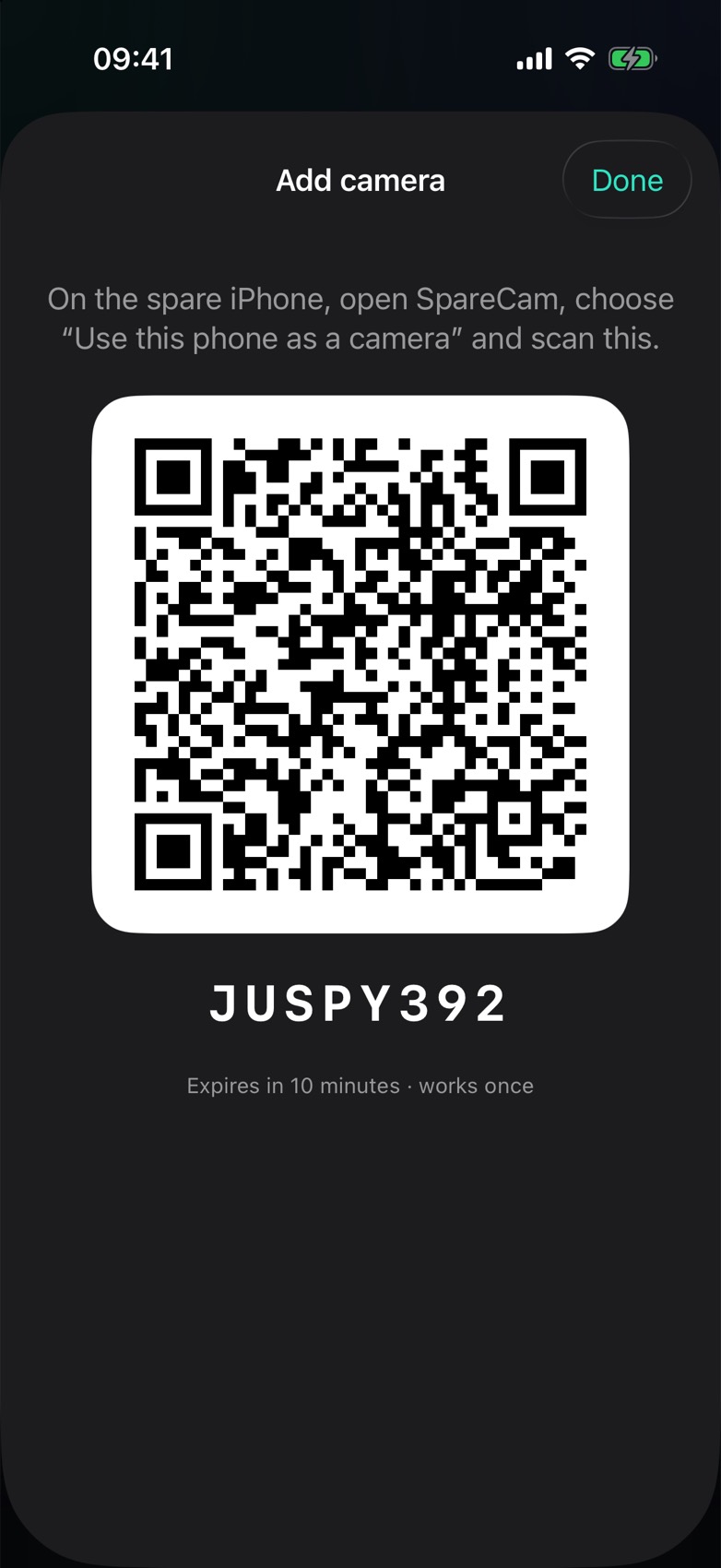
On your phone, Add camera shows a QR code and an 8-character code. It works once and expires in 10 minutes.

Mount it, plug it in

The screen goes black after a minute so it doesn’t glow at night. Tap it to wake it.
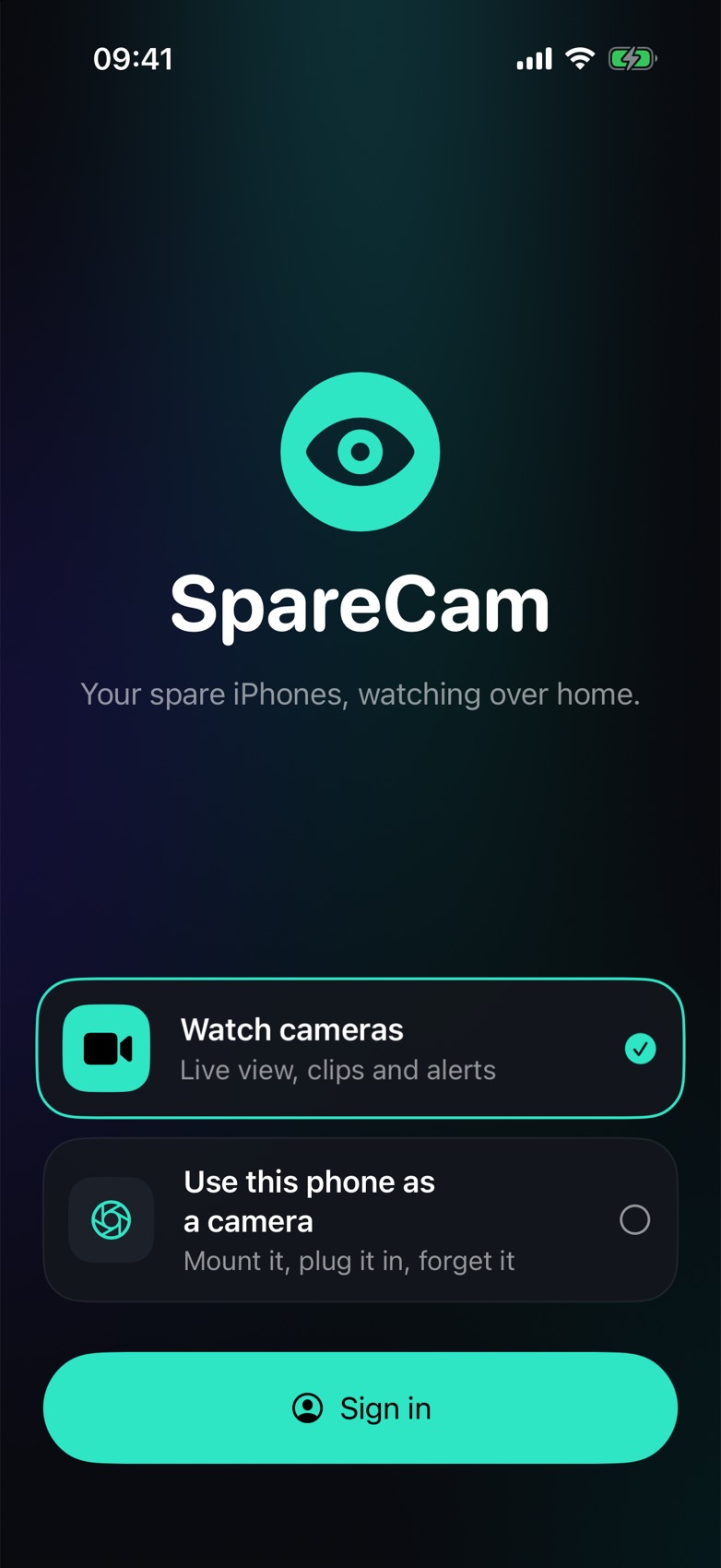
SpareCam first screen with two choices: Watch cameras, or Use this phone as a camera.
First launch. Viewer or camera.
Add camera sheet with a QR code, the code JUSPY392, and the note: expires in 10 minutes, works once.
Add camera. Scan it from the spare phone.

On-device motion

The camera decides what moved.

About five times a second the phone compares the picture with what the scene usually looks like. Two hits in a row is motion. When the lights come on and everything changes at once, it re-learns the scene instead of alerting you.

Front door · detectorWatching
FRONT DOOR
Changed 0.0% of the zone · needs 0.9%
In a row
  • No events yet

This runs the app’s own rules in your browser: the threshold, the 2×2 noise filter, the “lights on” re-learn and two hits in a row. The scene is drawn, not filmed, and the grid is coarser than the phone’s.

What leaves the phone

Nothing streams until you look.

The camera phone keeps the video to itself until there’s a reason to send it.

All the time

Status, not video. Battery and heat every few seconds, so you can see a camera is alive. If it drops off for a minute, you get a “went offline” alert.

When something moves

A picture and an alert. On the Paid plan, the clip too: it uploads straight to storage and starts a few seconds before the motion.

While you watch

Live video. The server wakes the camera when you open it and stops the stream 30 seconds after the last person leaves. Live view is relayed, not recorded.

Off by default

Sound. Recording sound is off on every camera until a Home admin turns it on, and the camera phone shows when someone is watching.

Arm modes

Away. Home. Off.

One switch for the whole Home. Anyone in it can flip it, from the app, the web, or the Home Screen widget in one tap.

Away

Alerts from every camera. The default.

Home

Alerts only from the cameras you pick, like the driveway, so the living room stays quiet.

Off

No alerts. Motion events are still saved for later.

Per camera

Tune each one.

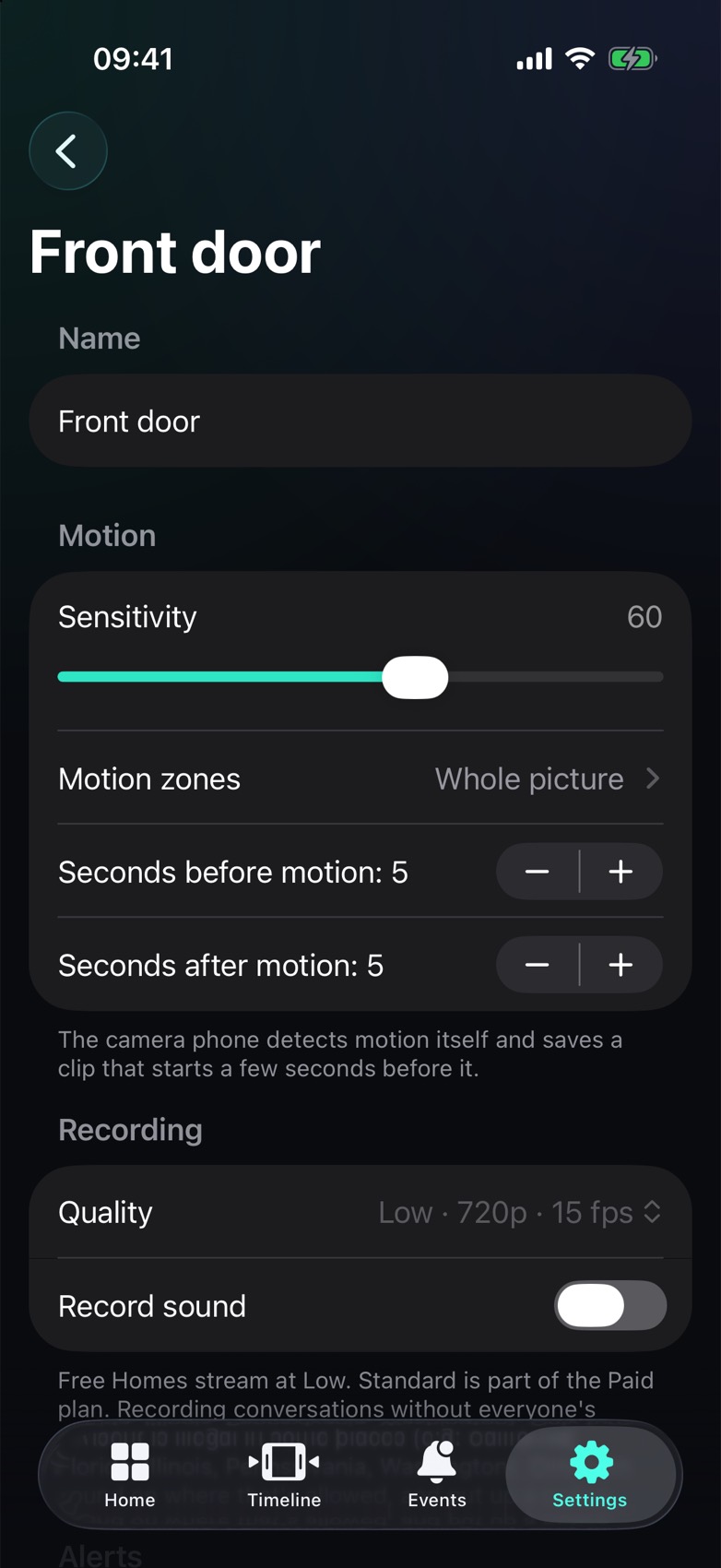
The porch and the back yard aren’t the same. Each camera has its own settings, and the phone picks them up right away.

  • Sensitivity from 0 to 100.
  • Motion zones drawn on the camera’s latest picture.
  • Clips that start up to 10 seconds before the motion (Paid).
  • Lens, zoom and torch, switched from live view.
Front door camera settings: sensitivity 60, motion zones set to whole picture, 5 seconds before and after motion, quality Low 720p 15 fps.
Camera settings. Sensitivity, zones, before and after.

Timeline and Settings

Every event on one strip.

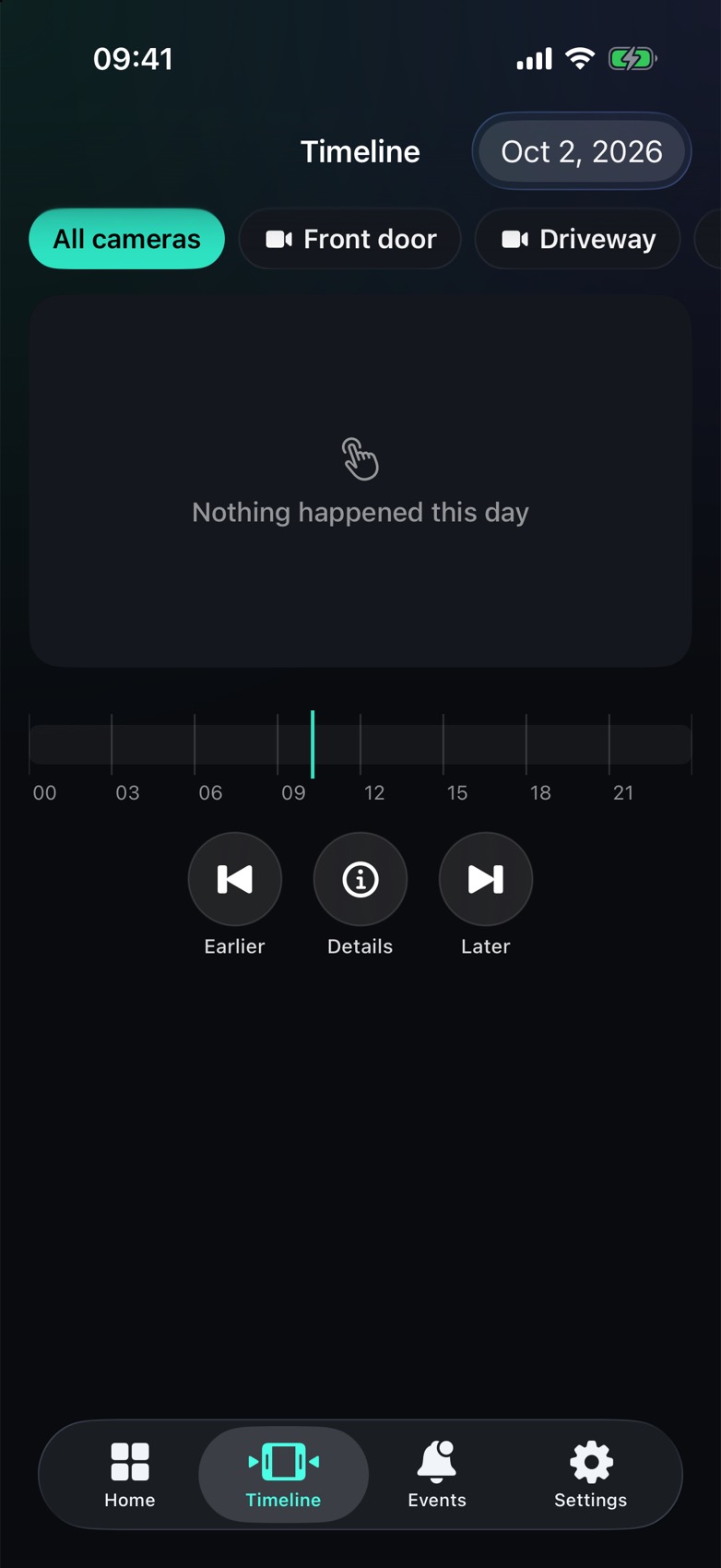
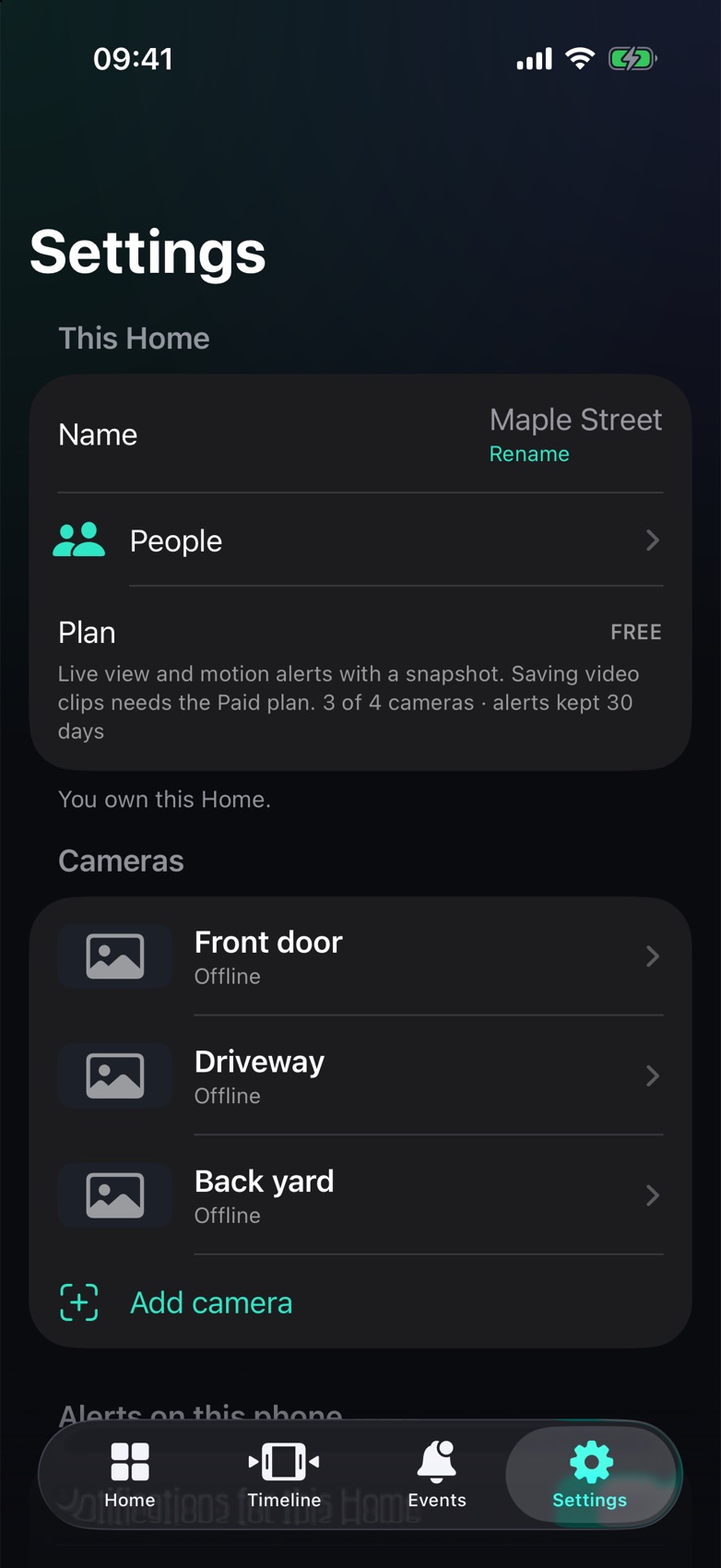
The Timeline lays a day out from midnight to midnight, filtered by camera. Settings holds the Home: its people, its plan and its cameras.

Timeline for Oct 2, 2026 with camera filters and a 24-hour strip. Nothing happened this day.
Timeline. A quiet day looks like this.
Settings for Maple Street: people, the Free plan, and three cameras with an Add camera button.
Settings. Plan, people, cameras.

In the browser

Same Home, any browser.

Live view, talkback, events and settings at sparecam.app. A laptop can be a camera too: open sparecam.app/camera, enter a pairing code, and keep the tab in front.

sparecam.app/app
SpareCam web app: Maple Street with Away selected, today's 24-hour strip, and three camera tiles.

Also in the box

The rest of it.

Alerts

With a picture

Time-sensitive, with View Live, Snooze 1 hour and Mark reviewed. A cooldown per camera keeps one cat from sending twenty.

Talkback

Say something

Talk through the camera’s speaker from the iPhone app or the web. The camera says that someone is talking.

Siren

Make noise

A two-tone siren with the screen flashing at full brightness, started from your phone.

Privacy mode

Lens off

Stops the camera completely: no streaming, no recording, no detection, until it’s turned back on.

Sharing

Invite the house

Owners, admins and viewers. Viewers watch, talk and arm. Admins also manage cameras and people.

Widget

Glance and arm

The latest picture, the camera name and the mode, on the Home Screen. Tap to switch between Away and Home.

App lock

Face ID

Lock the viewer behind Face ID or your passcode, so a borrowed phone doesn’t open your cameras.

Heat aware

Runs cool

A warm phone drops to Low quality, and a hot one pauses until it cools. Battery and heat show in the app.

Plans

Free does the watching.

Both plans cover the same Home: up to 4 cameras and 30 days of events. Paid adds the video.

Free

per Home
  • Live view, 720p at 15 fps
  • Motion alerts with a picture
  • Talkback, siren and privacy mode
  • Up to 4 cameras, events kept 30 days

No checkout yet: during the beta, Paid is switched on per Home.

Camera

iPhone or iPad on iOS 18 or later. Or a browser tab on a computer.

Keep it open

SpareCam stays on screen. iOS stops the camera when the app leaves it. Guided Access helps.

Power

Plug it in. The screen goes dark, but the camera keeps working.

Not an alarm

No monitoring center. No one is dispatched. It alerts you.

Open SpareCam.

Sign in, or open the invite link someone sent you. SpareCam is invite-only during the beta, and the iPhone app (iOS 18 or later) is part of the same beta.

passkeys or password · works in Chrome, Edge and Safari